
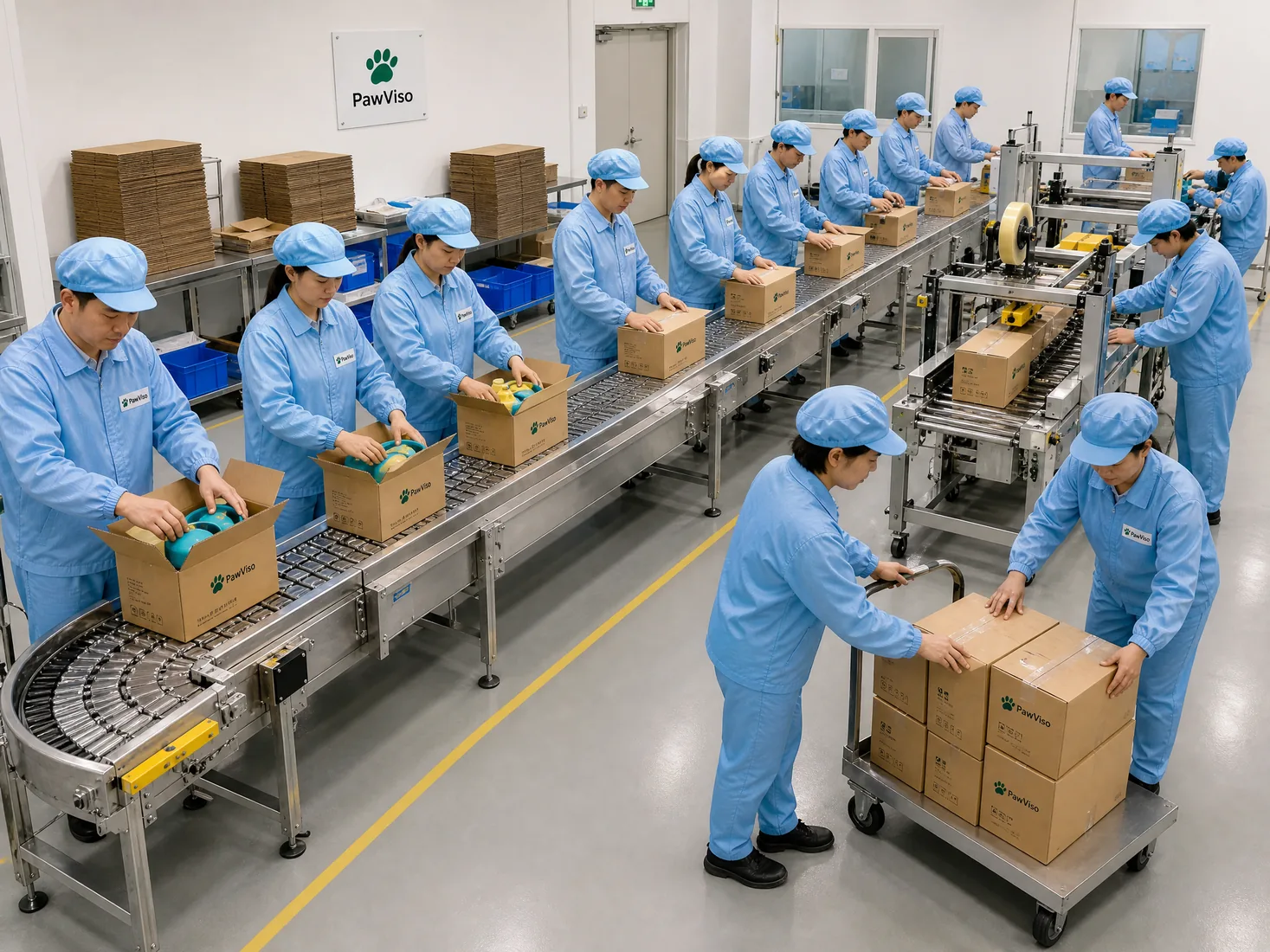
Sourcing pet product instruction inserts is a straightforward supply-chain task only when the buyer and supplier have a shared process for content ownership, artwork control, print proofing and pack-out. This guide explains practical buyer decisions, what suppliers commonly deliver, how to document approvals and the inspection gates that reduce surprises during production and shipment. It is written from a Chinese factory and procurement-partner perspective and focuses on actions buyers must take, supplier inputs to request, and the records both sides should keep.
Read the direct answers first, then the evidence, trade-offs and next steps. Each module ends with practical next steps buyers can hand to suppliers or to their local importer. The guidance covers buyer-owned content, product identity and barcode master data, claim and warning review, language and market ownership, artwork and proofs, print and pack-out, inspection and revision control so you can reduce rework, delays and costly reprints.
Module 1 — Buyer decision: Who owns instruction content and legal text
Direct answer: The buyer must own and supply the final instruction text and any legal wording for the insert. The supplier should not reword or add claims without documented written approval from the buyer. The buyer provides a single master content file (editable source) and a "locked" print-ready PDF for production approval.
Why: Instruction text includes product use, warnings, maintenance and any importer/manufacturer statements that affect market compliance. If the buyer (or importer) is the brand owner in the destination market, they control claims and statutory wording. The factory can translate, proof and typeset, but changes that alter meaning or claims must be pre-approved in writing by the buyer.
Supplier inputs and records: Request a content receipt and version record from the supplier. The supplier should confirm the exact content version used, date/time stamps, and a link to the print-ready PDF. Keep the editable source (Word, InDesign) in your records and require the factory to keep a matching PDF and the production print log for traceability.
Practical next steps:
- Supply a single master content file and a locked PDF.
- Require the supplier to confirm receipt with a version-controlled filename and timestamp.
- In the first order, require the supplier to send the typeset proof and a print proof photograph of the first printed sheet.
Table: Roles & Primary Deliverables
| Role | Buyer deliverable | Supplier deliverable | Records to keep |
|---|---|---|---|
| Buyer/Brand owner | Master content (editable), legal text, language list | Acknowledgement of master content | Master file, email approval |
| Supplier / Factory | Typeset proof, print-ready PDF, production log | Print run photographs, proof sign-off | Proofs, photos, print log |
Module 2 — Buyer decision: Product identity and SKU master data (GTIN and barcode master)
Direct answer: The buyer must supply SKU-level identification (SKU code, GTIN/UPC where used), label placement rules and master barcode data. The factory will place barcodes according to supplied master data and must confirm scan location and print quality prior to bulk runs.
Why: Product identification and barcode master data are buyer responsibilities when the buyer is the brand or importer responsible for GTINs. Barcode and GTIN assignment affects packaging layout, PLU lists, warehouse systems and customs paperwork; incorrect master data causes retail rejection or scanning errors at distribution centers. Provide the exact GTIN/UPC, barcode size, quiet zone and placement on the insert or packaging. Cite and keep the barcode master file for the SKU.
Supplier inputs and records: Ask the supplier to provide a scanned test print of the barcode at production scale and a successful scan verification (photo or scan result file). For multi-SKU packaging, provide a clear map of where each SKU’s barcode will be printed on the insert or outer carton.
Practical next steps:
- Provide a GTIN or barcode master sheet for each SKU; ensure the supplier confirms readable scan output.
- Require barcode scan verification photos for the first production run.
- Discuss barcode placement early with the factory to avoid layout conflicts.
Note: Distinguish ISO/quality management system obligations from SKU conformity. Management-system certification does not replace SKU-level confirmation or per-SKU acceptance testing; systems and product conformity are different functions 1, and your SKU master data must be verifiable by scan and record on the print run. Also, when assigning GTINs or codes, use a documented source and keep the association with the physical SKU in your buy-sell master file 2.
Module 3 — Buyer decision: Claims, warnings and regulatory wording review
Direct answer: Buyers must define claims, warnings and mandatory statements and submit a claims matrix to the supplier. The supplier may flag wording that could be misleading or nonstandard, but the buyer decides final text and must retain evidence supporting any explicit buyer-controlled claims.
Why: Instruction inserts frequently contain claims (e.g., functional descriptions) and warnings (safety/age limits). The buyer’s marketing language can create a legal or regulatory obligation in the destination market. The supplier can highlight potential phrasing problems, but should not modify or add regulatory content or compliance text unless authorised by the buyer.
Supplier inputs and records: Request the supplier to produce a redline comparison if they adjust typesetting or line breaks that could alter meaning. For any claim that requires evidence, the supplier should list what documentary support they can provide (test reports, component data sheets) and identify gaps for the buyer to address.
Practical next steps:
- Prepare a claims matrix that maps each claim to its evidence source and any required test or certification that the buyer must own or arrange.
- Ask suppliers to perform a "claims check" and return a signed statement that they will not alter claims without written buyer approval.
- Maintain a version-controlled record of the claim language and approval emails.
When you require third-party evidence for a claim, keep supporting documentation on file and be prepared to show it to customers or market regulators. The buyer controls claims and must maintain the substantiation; the factory’s responsibility is limited to not adding or changing buyer-controlled claims without approval 4. Also ensure buyers or importers confirm market-specific mandatory warnings and labelling requirements as part of their market ownership responsibilities 3.
Module 4 — Buyer decision: Language coverage, translation ownership and market responsibility
Direct answer: Buyers decide which languages appear on the insert and provide translations or certified translation instructions. If the buyer is the importer or brand owner in a market, they must confirm market-specific labeling requirements and provide final approved translations. The supplier can translate on request but must get buyer approval for any translation.
Why: Market legislation frequently requires instructions and warnings in a local language and sometimes in a specific legal form. The buyer (or the buyer’s local importer) is typically responsible for confirming which languages and phrasing meet local rules. Factory translations without buyer approval can create liability and reprint costs.
Supplier inputs and records: Ask the supplier to present translation samples and a translation sign-off form that documents who supplied or approved each language. For native-proofing, require a translation check by a local reviewer (the buyer’s local office or importer) before mass production.
Practical next steps:
- Provide definitive language list and either supply translations or name the approved translation provider.
- Require the supplier to send typeset language proofs to your local reviewer for approval.
- Track language approvals per SKU and keep a translation approval register.
Table: Language Ownership Decision Matrix
| Decision | Buyer action | Supplier responsibility |
|---|---|---|
| Provide translations | Supply translated files or choose certified translator | Typeset translations and send proofs |
| Factory translates | Approve factory translator and require local review | Provide translation draft and revision log |
| Local law check | Buyer/importer obtains local confirmation | Implement approved text only |
Remember to obtain buyer/importer confirmation that language choices meet market law; the buyer (importer) is responsible for local market conformity confirmation 3.
Module 5 — Buyer decision: Artwork source files, layout control and fonts
Direct answer: The buyer must supply artwork source files (InDesign, Illustrator, layered PDF) or clear permission for the supplier to use a factory template. The buyer must specify font licenses, color standards (Pantone or CMYK) and bleed/trim specifications. The supplier provides preflight checks and a formatted proof for buyer approval before printing.
Why: Correct artwork source files avoid layout errors, incorrect fonts, and wrong spacing that can alter instructions and warnings. Font licensing is the buyer's responsibility: licensed fonts must be provided or embedded. The supplier’s preflight check can identify missing assets, but the buyer must resolve missing logos, fonts, or trademark restrictions.
Supplier inputs and records: Request a preflight report from the supplier listing embedded fonts, images resolution, color profile and any missing links. The supplier should produce a print-ready PDF and a draft visual proof that the buyer must sign off.
Practical next steps:
- Provide source files and all linked assets; specify color profiles and trim sizes.
- Require supplier preflight and a sign-off process for the PDF proof.
- Keep a signed approval record (email or digital signature) before any print run.
Table: Artwork Preflight Specification / Quote Controls
| Artwork item | Buyer supplies | Supplier check | Pass/fail gate |
|---|---|---|---|
| Source file | InDesign / AI / layered PDF | Fonts embedded, images linked | Buyer sign-off |
| Color | Pantone / CMYK spec | Color profile match | Visual approval |
| Bleed/trim | Exact dimensions | Proof with crop marks | Buyer sign-off |
Module 6 — Buyer decision: Print proof requirement and approvals
Direct answer: Buyers must specify required proof type(s): soft proof, color-accurate contract proof, and a photographed hard-copy proof of the first printed batch. The supplier should not proceed to full production without written confirmation of the approved proof from the buyer.
Why: Proofs reduce the chance of costly reprints. A soft proof is useful for layout checks, a contract proof (digital color-managed) is needed when color accuracy is critical, and a photographed hard-copy of the first printed sheets confirms actual output. The buyer decides which proofs are mandatory depending on the complexity and risk of the insert.
Supplier inputs and records: The supplier should supply a proof schedule and upload PDF proofs to a shared folder. For color-sensitive jobs, require a color contract proof from a calibrated press or proofing device and a photograph of the first printed sheet with timestamp and operator name.
Practical next steps:
- Define required proof types in the purchase order.
- Require written approval (email) after each proof stage before moving to the next.
- Keep proof files, approval emails and first-print photographs in the order folder for traceability.
Sample gates are often used to formalize approval. Use a sample-gate table to make expectations unambiguous.
Table: Sample Gates and Approvals
| Gate | What supplier sends | Buyer action | Release condition |
|---|---|---|---|
| Gate 1: Soft proof | Layout PDF | Check layout and text | Email approval |
| Gate 2: Color proof | Contract proof or calibrated PDF | Approve color | Signed approval |
| Gate 3: First print | Photograph of sheet + physical sample | Final sign-off | Production release |
Module 7 — Buyer decision: Pack-out design and insert placement
Direct answer: The buyer defines pack-out rules, including where instruction inserts are placed (inner pouch, taped to product, inside blister) and how many inserts per unit. The supplier follows the buyer’s pack-out map and documents pack-out during packing; any deviation requires buyer approval.
Why: Pack-out affects product presentation and potential damage to inserts. For pet products, inserts can be exposed to moisture, so choose protected placement if needed (buyer decision). The factory can advise on common pack-out options and provide photographs of proposed placements in mock-ups.
Supplier inputs and records: Require a pack-out diagram and photographs of packaged units prior to mass packing. The supplier should include pack-out steps in the packing checklist and record any pack-out changes in the production notes.
Practical next steps:
- Supply a pack-out diagram with photos showing insert placement and orientation.
- Ask the supplier to produce a pilot pack-out sample for buyer approval.
- Include pack-out checks in the final inspection checklist.
Table: Pack-out Checklist for Inserts
| Item | Buyer requirement | Supplier evidence |
|---|---|---|
| Insert location | e.g., inside sealed pouch | Photo of packaged unit |
| Quantity | e.g., 1 insert per unit | Packing list count |
| Protection | e.g., laminated envelope | Photo of finished pack |
Also consider whether transit or handling tests are needed to verify inserts won’t detach or degrade—buyers should require transit packaging checks or ISTA-style simulation when pack-out or shipping conditions are demanding 5.
Module 8 — Buyer decision: Inspection, sample size and acceptance criteria
Direct answer: The buyer sets acceptance criteria for instructions (print quality, legibility, color, barcode scan success) and defines inspection sampling for both pre-production (proofs) and final inspection. The supplier should provide inspection records and accept or dispute defects with documented evidence.
Why: Inspection prevents large-scale nonconformity. Define objective acceptance criteria (e.g., 0 visible ink bleed, barcode scan rate 100% for checked samples) and a sampling plan for inspection. The buyer should decide acceptance versus rework thresholds.
Supplier inputs and records: Suppliers must present AQL or specific sample results from the print run (e.g., number of sheets checked, number failed and reason). For visible defects, request high-resolution photos and corrective action proposals.
Practical next steps:
- Define inspection criteria in the purchase order and require the supplier to confirm.
- Insist on inspection records for each production batch: number of inserts produced, number inspected, defects by type.
- Agree in advance on disposition for defects (reprint, rework, or accept with credit) and document the agreement.
Sample size and gates often follow a simple three-step approach:
- Proof approval before print (soft and color proofs)
- First-print verification (photograph and sample)
- Final inspection (random sample and acceptance record)
Use a concise inspection table to make sampling and acceptance clear.
Table: Inspection & Sample Gate Controls
| Gate | Sample size | Criteria | Disposition |
|---|---|---|---|
| First-print check | 3–5 sheets | Layout, color, barcode scan | Reprint if fail |
| Routine production sample | Per PO-defined sample | Legibility, print defects | Rework or scrap |
| Final pack inspection | 2–4 units per carton | Insert present and correct | Hold or release |
Note: Keep clear records of inspections for traceability and dispute resolution.
Module 9 — Buyer decision: Revision control and versioning for inserts
Direct answer: The buyer must maintain a version-controlled master and permit the factory to use only the latest approved version. Any revision requires a documented change request, an updated master file, a new proof and a formal sign-off before production resumes.
Why: Uncontrolled revisions are a common source of errors. Versioning ensures everyone uses the same text and artwork and that changes can be rolled back if needed. The buyer is responsible for communicating when an older SKU version may still ship (e.g., to clear inventory) and for authorizing any interim use.
Supplier inputs and records: The supplier should maintain a revision log (filename, version number, date, approver) and attach the log to the order pack. For each change, the supplier must produce diff-redlines showing what changed and where.
Practical next steps:
- Assign a version number to every content/artwork update (e.g., Insert_v1.0).
- Require a signed change request for any revision and file pre/post proofs.
- Define how emergency changes are handled and who in the buyer organisation can authorize them.
A short revision-control checklist helps align expectations:
- Version ID on every file
- Approval email or signed form for each version
- Production run linked to version ID in the production log
This reduces risk of shipping wrong or outdated instructions and provides audit-ready traceability.
Module 10 — Buyer decision: Reorder rules, reorder frequency and inventory of inserts
Direct answer: The buyer decides reorder quantities for inserts and whether inserts are restocked with finished goods or shipped separately. The buyer should set reorder triggers in the ERP and instruct the supplier whether to hold printed inserts as buffer stock for future orders.
Why: Managing insert inventory affects lead times and cash flow. Holding printed inserts can be cost-effective for high-turn SKUs but requires version control and storage conditions. If inserts are printed and stored, they must be tied to a version number and an expiration or review date.
Supplier inputs and records: If the supplier stores inserts, require a storage log with quantities, print date, version and storage conditions. If inserts are shipped with goods, the supplier must confirm pack-out counts and sync packing lists.
Practical next steps:
- Define whether inserts are printed on-demand or stocked.
- If stocked, require inventory reports and storage condition confirmation.
- Align reorder quantity and lead time with production schedules and revision-control practices.
Table: Reorder & Ownership Decisions
| Option | Buyer action | Supplier action | Risk |
|---|---|---|---|
| On-demand printing | Place order per PO | Print and attach to batch | Longer lead time |
| Supplier buffer stock | Pay for storage or prepay | Store with version logs | Obsolete stock risk |
| Ship separately | Schedule insert shipments | Sync packing lists | Coordination risk |
Include reorder rules in the commercial terms and record whether inserts are included in the PO price or invoiced separately.
Module 11 — Buyer decision: Handover, shipment documentation and trade terms
Direct answer: The buyer must specify trade terms (Incoterms) and who is responsible for handover and documentation of inserts when goods move from factory to carrier. The supplier provides packing lists that show insert counts and version IDs; the buyer or importer confirms acceptance at handover according to the pre-agreed terms.
Why: Trade terms determine when responsibility for goods transfers and who should keep which records. Clear instructions about documentation (pack lists, inspection certificates, proof of insert count) reduce disputes at the moment of handover.
Supplier inputs and records: Require the supplier to include insert details on the packing list and to attach production and inspection records when shipping. If delivery terms assign carrier pickup to the buyer, the supplier still must keep shipping documentation and evidence of handover.
Practical next steps:
- Specify Incoterms in the PO and who is responsible for shipping documents and inspection at origin 6.
- Require the supplier to include insert version ID and counts on packing lists and in export documents.
- Keep copies of all handover documentation and inspection certificates to match against the buyer’s receiving report.
When a shipment is being prepared, ensure the supplier provides a final "shipper's pack" that includes:
- Final packing list with insert version IDs
- Photo evidence of packed cartons
- Inspection report and first-print confirmation (if applicable)
This minimizes claims at arrival and clarifies responsibility against trade terms and handover arrangements.
**Mid-article CTA — If you want a one-page insert sourcing checklist you can adapt to your POs, ask your factory or procurement partner to prepare a version-controlled checklist that combines content, proof gates and pack-out decisions.
Frequently asked questions
Q: Who is legally responsible for instruction wording for a product sold in Market X? A: Legal responsibility depends on who is the brand owner or the importer in that market. Buyers or their local importers should confirm market-specific legal obligations; this guide recommends the buyer or importer confirm market compliance and mandatory wording before printing 3.
Q: Can my supplier propose wording or translate instructions? A: Suppliers can propose translations and highlight phrasing concerns, but they should not change buyer-supplied wording or claims without documented buyer approval. The buyer should review and approve any supplier-proposed translation and keep a version-controlled approval.
Q: What evidence should I keep for claims printed on an insert? A: Keep the claims matrix linking each claim to supporting evidence (tests, technical data, or other substantiation) and store those documents with the order file. The buyer controls the claim and must retain its substantiation 4.
Q: How do I ensure barcodes print and scan correctly? A: Supply the supplier with the master GTIN/UPC data and require scan verification photos from the first printed sheets. Keep the barcode master record and the scan verification evidence in the order folder 2.
Q: Should I order inserts with every production batch or keep them in buffer stock? A: It depends on SKU velocity, revision risk and storage costs. High-turn SKUs often justify buffer stock if versioning is tightly controlled; else, print-on-demand reduces obsolescence risk. Define the approach in the PO and require version logs for any buffered stock.
Q: What tests are relevant to insert durability during transit? A: If inserts must survive rough handling or extended transit, consider transit-simulation testing or packaging tests. Buyers should request the supplier perform handling checks and refer to ISTA procedures where appropriate 5.
Conclusion
Direct answers first: Buyers must own content, define product identity and barcodes, own and substantiate claims, control language and translations, supply or approve artwork, require staged proofs, define pack-out, set inspection and sample gates, enforce revision control and specify trade and handover terms. The supplier's role is to execute the buyer’s instructions, provide preflight and proofing services, maintain production records and supply inspection evidence. Use version-controlled files and clear PO clauses to reduce the chance of rework and dispute.
Next steps summary:
- Prepare a content master and claims matrix.
- Define language requirements and translation approval.
- Provide source artwork and require preflight reports.
- Specify proof gates, pack-out diagrams and inspection criteria.
- Agree trade terms and require insert data on packing lists.
Buyer requirements and market confirmations described in this guide need project-specific confirmation by the buyer or by the buyer’s local importer/representative before any production or shipment.
Related PawViso resources
- Continue with How to Build a Private Label Pet Product Line. Use this guide to connect customization, packaging and MOQ decisions.
- Browse the PawViso product catalogue to identify product formats for a sourcing brief.
- Follow the PawViso sourcing process and review the B2B buyer FAQ before sharing project requirements.
External reference
For independent product identification and barcode context, review GS1 guidance on Global Trade Item Numbers (GTINs). Confirm the requirements that apply to the selected product, target market and order.
References
- 1ISO 9001:2015 Quality Management Systems — Requirements
- 2Global Trade Item Number (GTIN) — GS1
- 3Regulation (EU) 2023/988 on General Product Safety
- 4Green Guides — Federal Trade Commission
- 5ISTA Test Procedures
- 6Incoterms® 2020 — International Chamber of Commerce
**Final CTA — Contact PawViso procurement support for a tailored insert-sourcing checklist. Email: info@PawViso.com WhatsApp: +86 186 8106 4480 — https://wa.me/8618681064480